
If you find that you're missing a payment from the payments tab (for example, the deposit), but it lives within your document template, here is a quick fix to troubleshoot:
- Go to the Payments tab within the Event or Booking
- Select "Add a Payment"
- Under Amount, you will find a dropdown
- Choose your Payment (i.e. Deposit $)
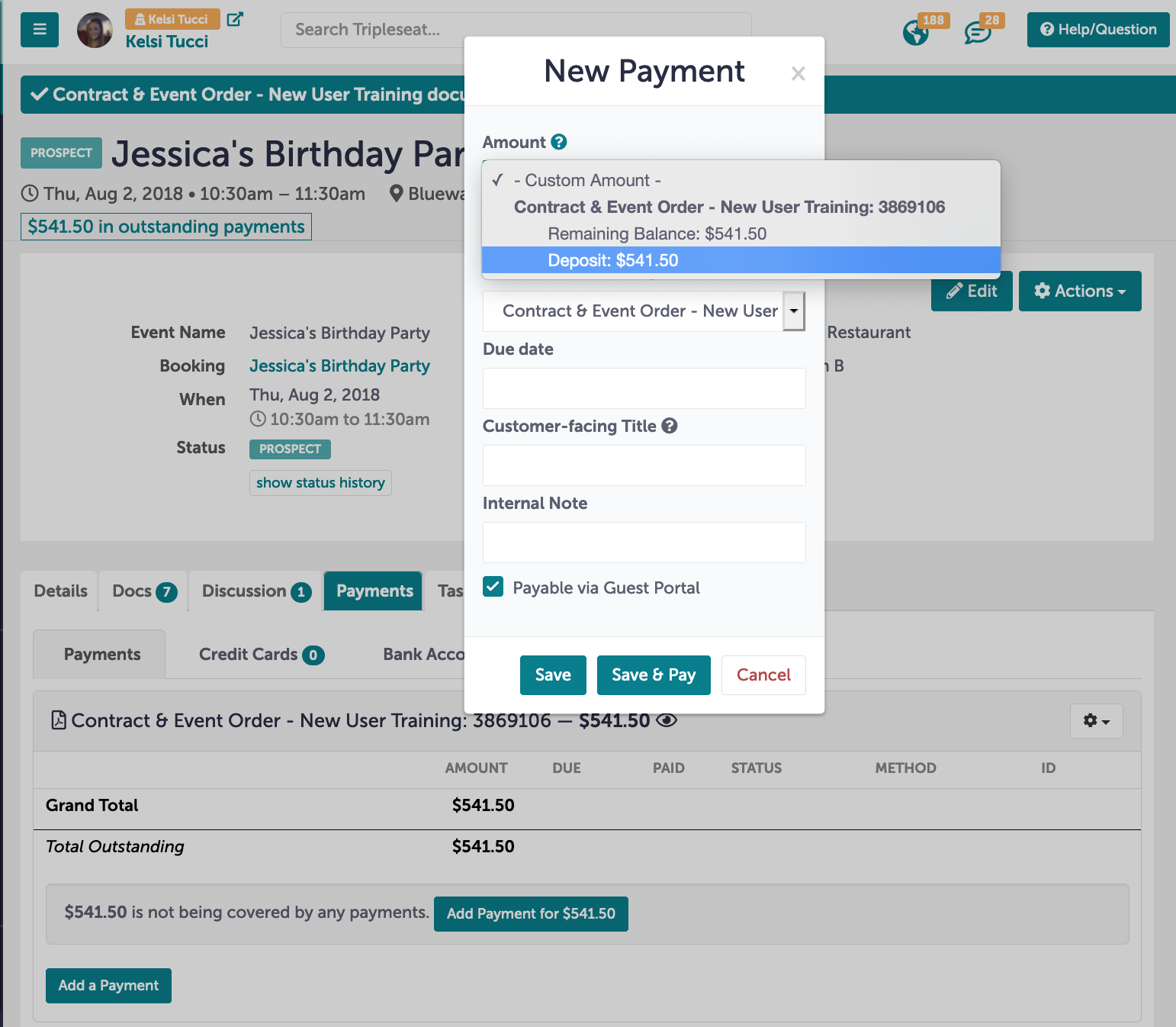
- Select Save
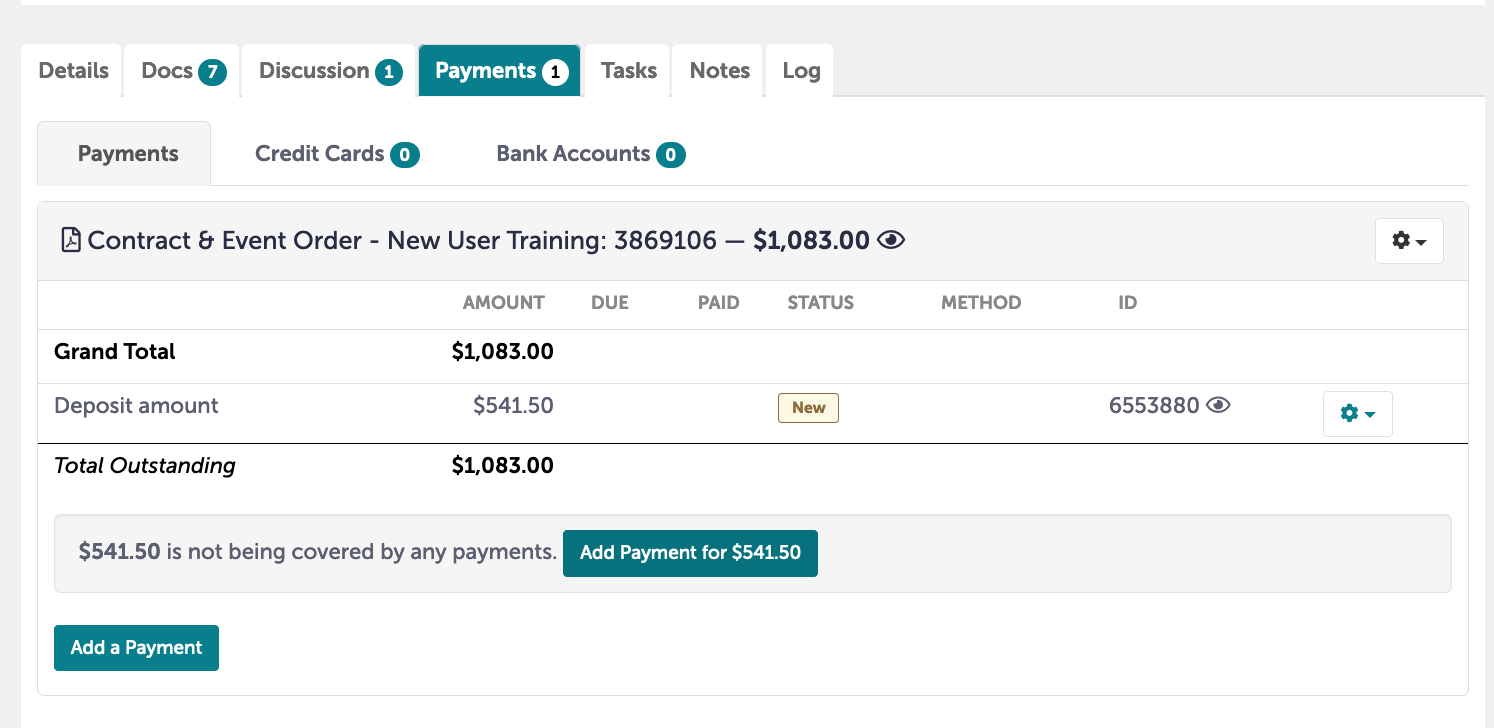
Your payment will now live in the payments tab and will be available to pay.